Founding beta · invite only
One verdict, from a rulebook that doesn't bend.
Delta scores every setup on sweep, reclaim, SMT and session, runs structure, macro and risk gates, then publishes one verdict with its evidence. You place the trade.
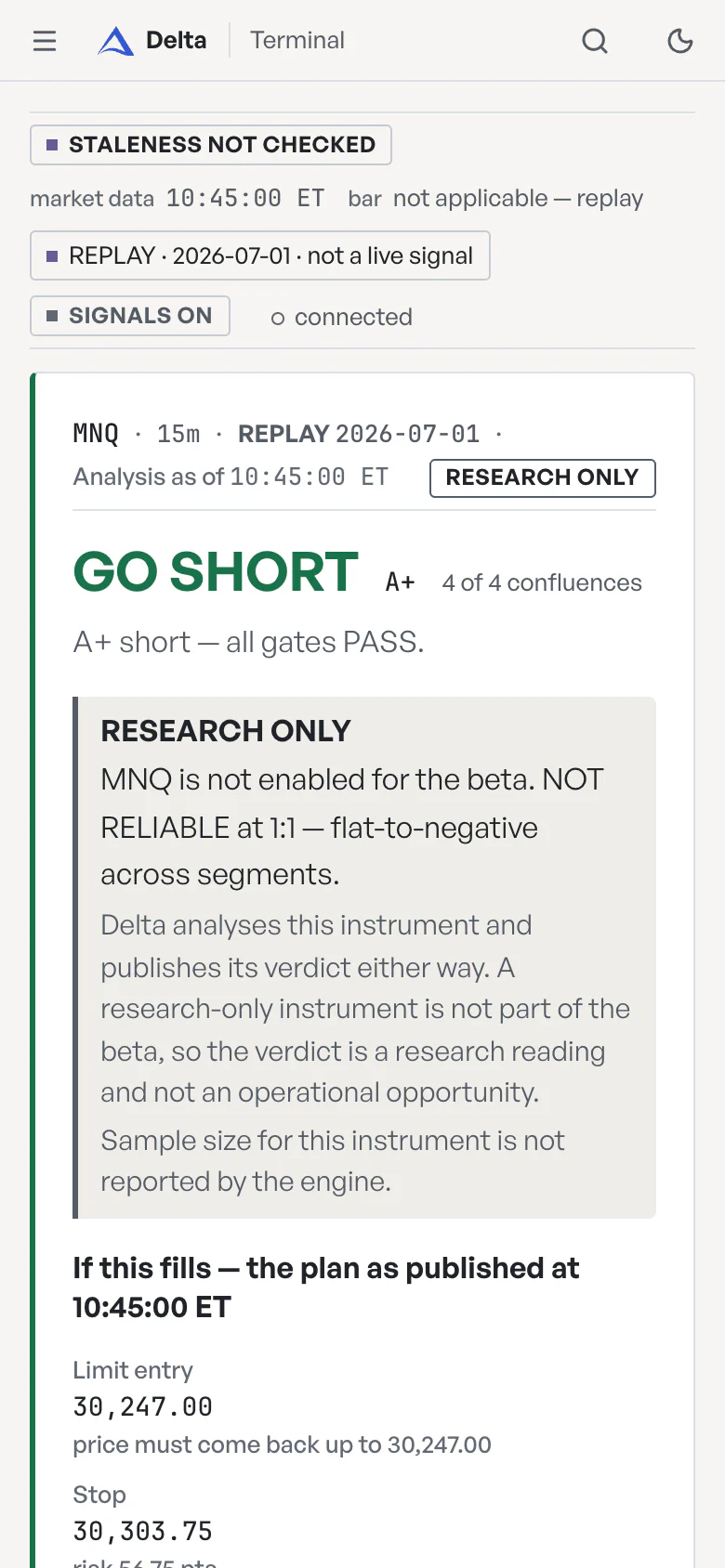
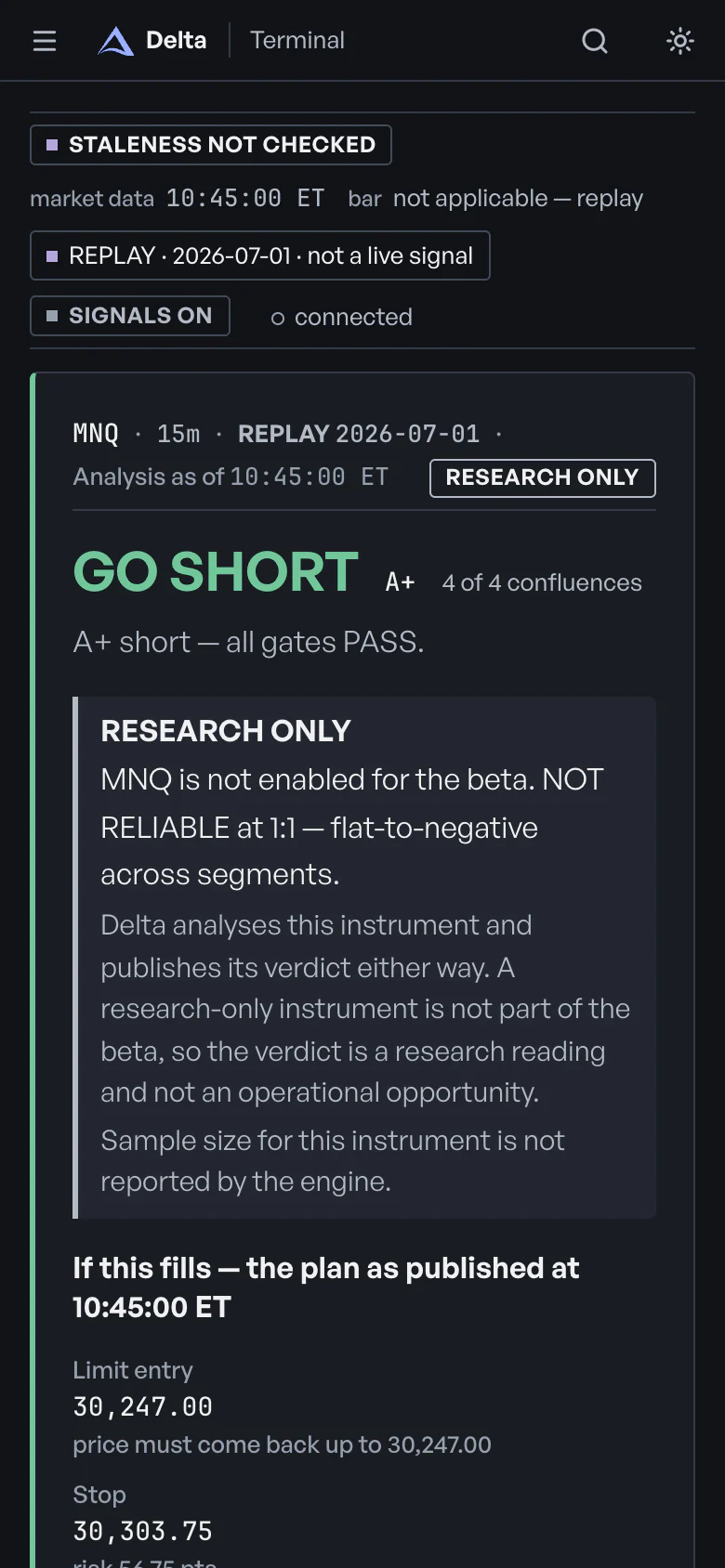
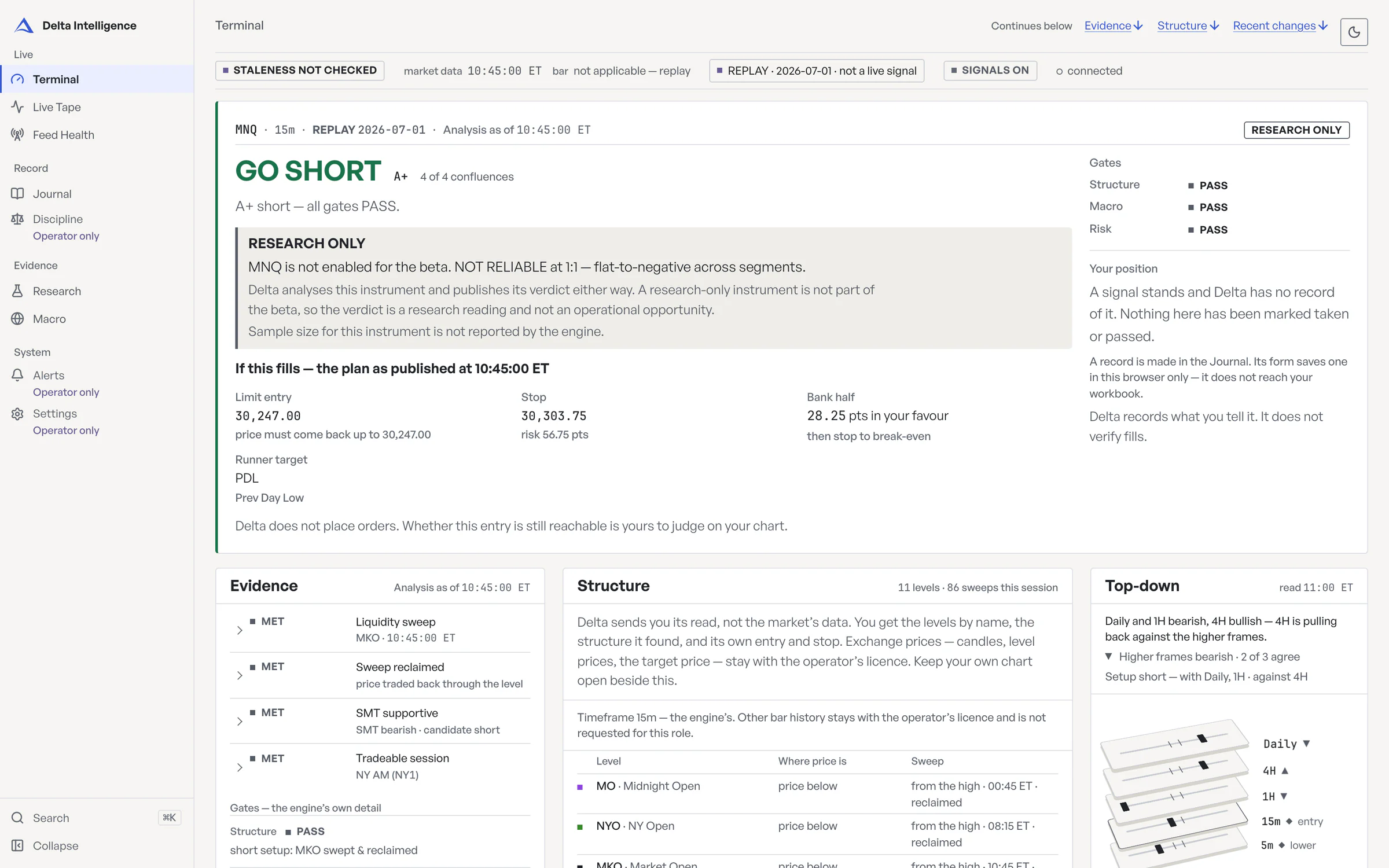
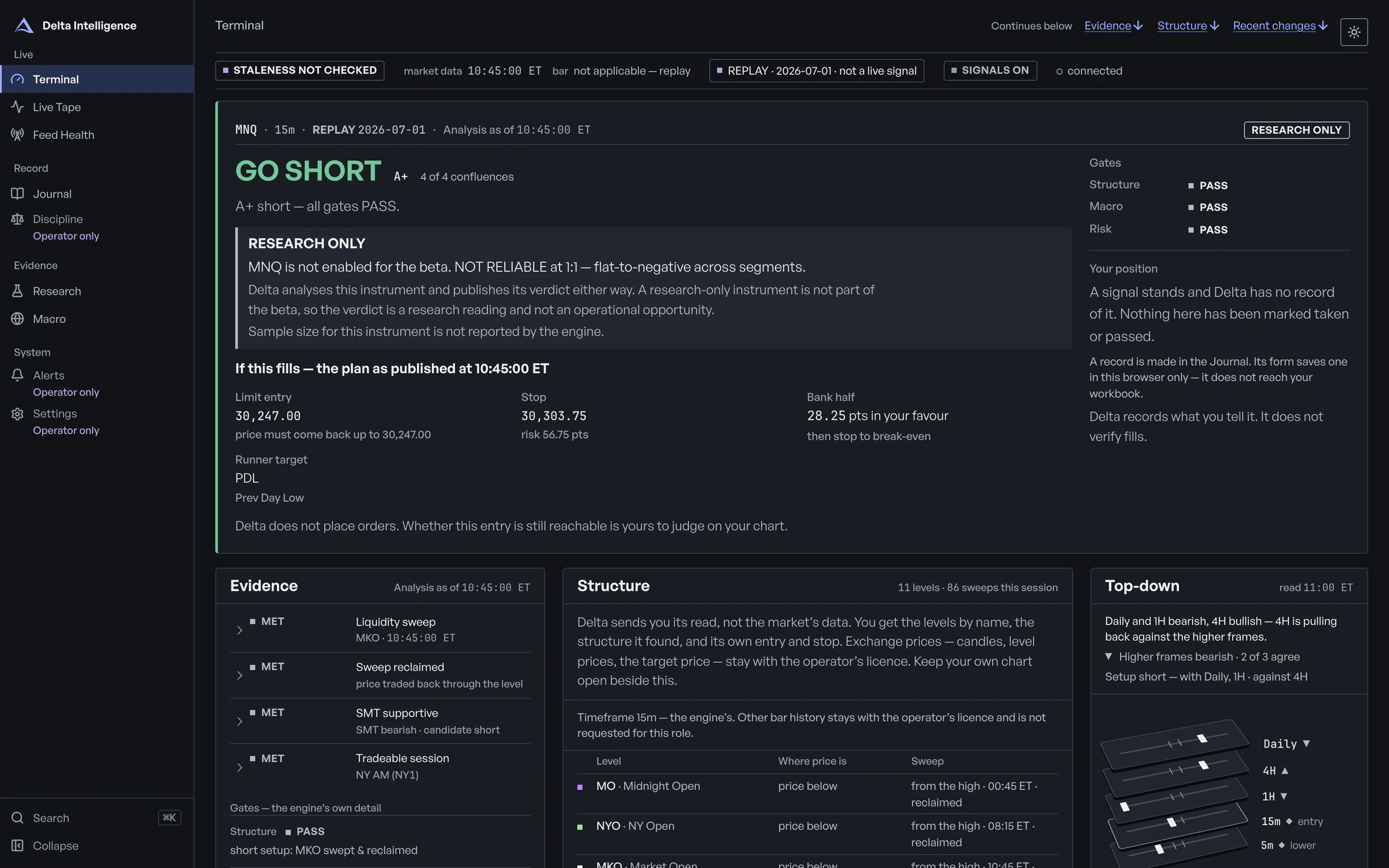
From the dashboard · tester view · replay of 2026-07-01
- TerminalThe verdict, the four checks behind it, the structure, macro and risk gates, and — only when it raises a GO — the plan if it fills.
- Live TapeA running record of recent events — sweeps and whether they were reclaimed, SMT reads, structure shifts, macro news, vetoes and verdict changes. Each is time-stamped, filterable by kind and searchable.
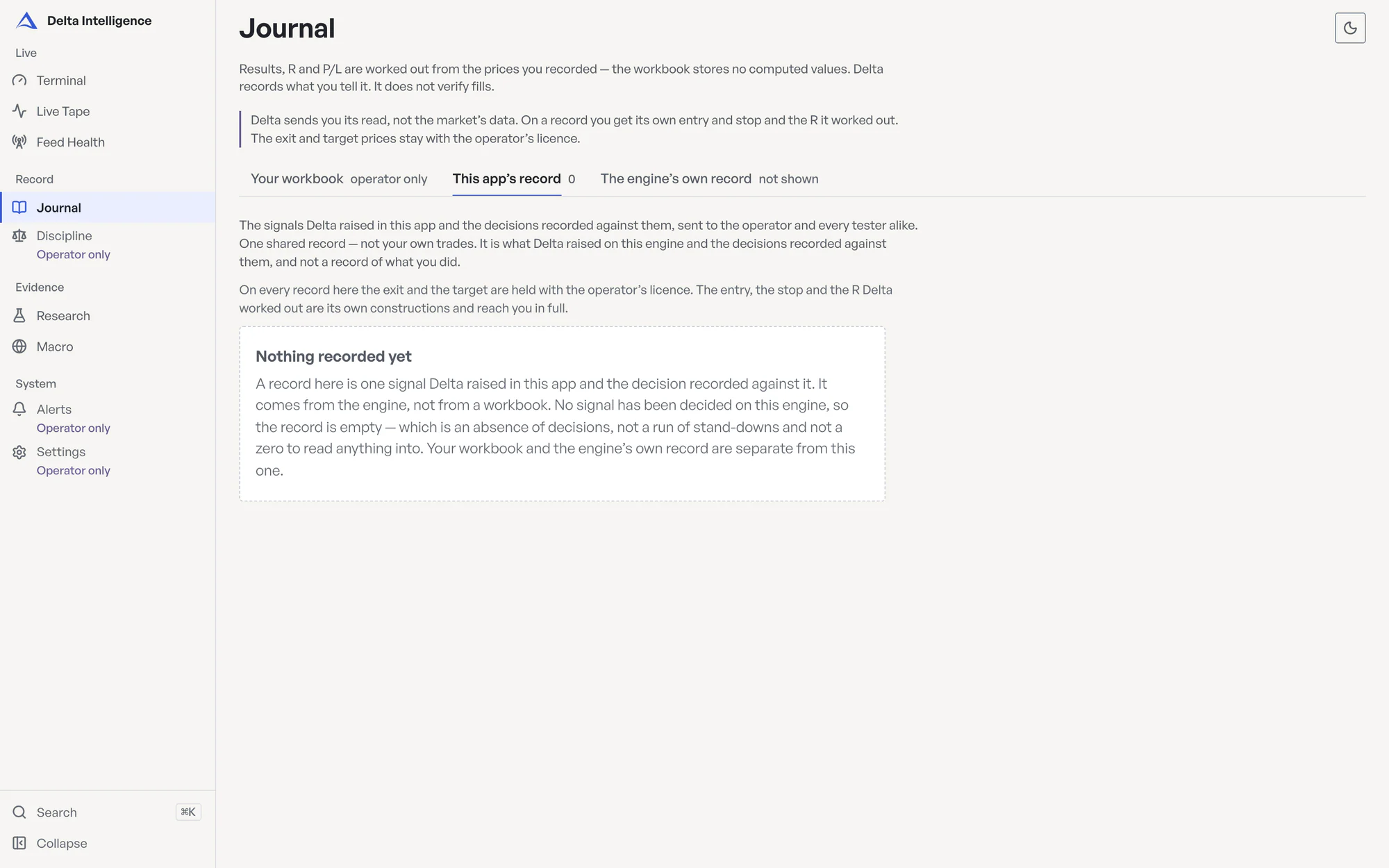
- JournalWhat Delta raised and any decision recorded against it — one shared record, not your own trades. Delta does not verify fills.
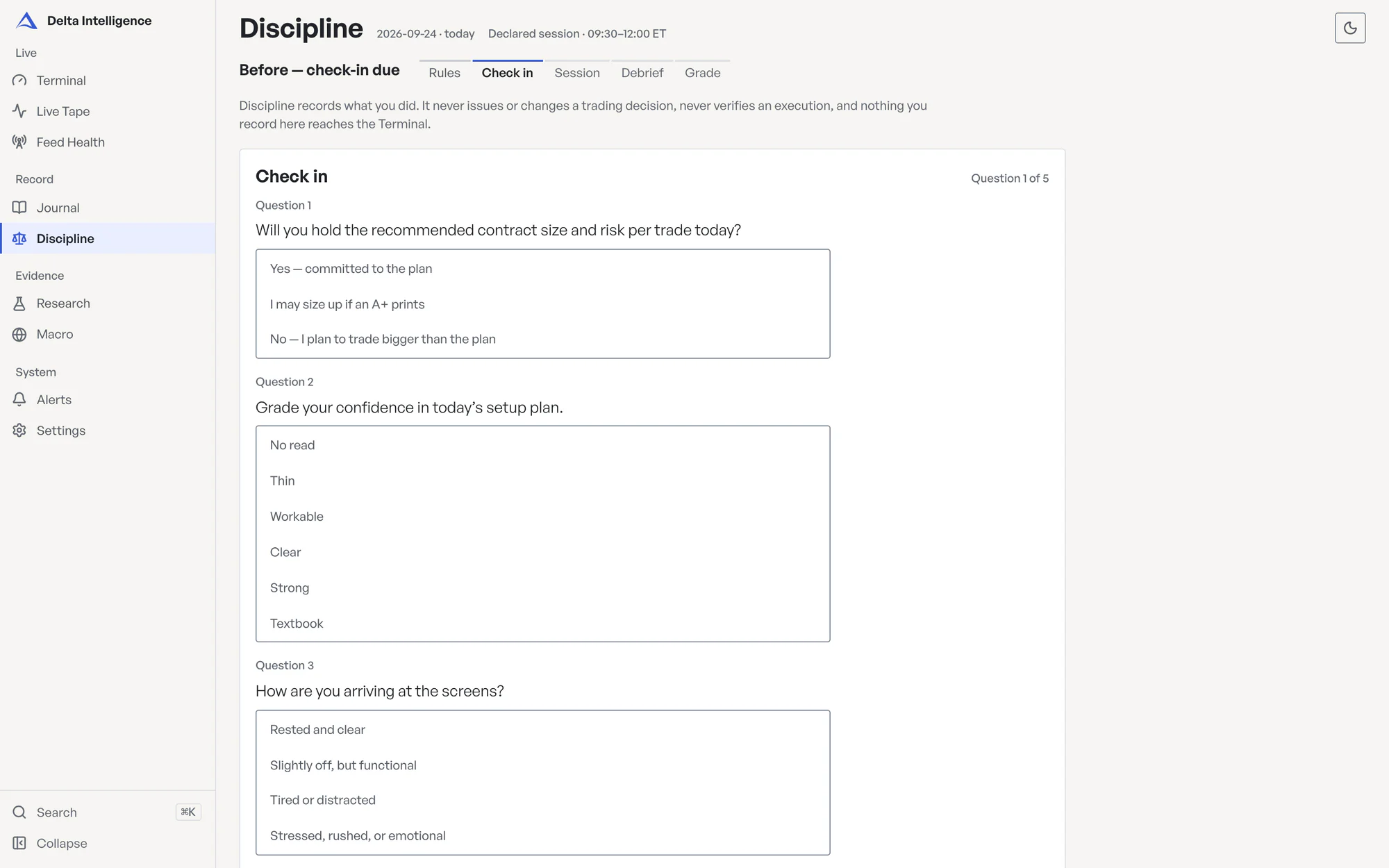
- DisciplineA check-in before the session, the rules on screen during it, a debrief after, and each day graded on process. It never touches a verdict. Operator only — testers do not get this screen.
No live track record yet. Forward test open — 1 of 100 trades resolved for the pre-registered MES 1-minute configuration.
On MNQ the terminal marks the verdict research only; MES is the only instrument enabled for the beta.
How a verdict is made
Four checks, three gates, one verdict.
Every closed bar goes through the same rulebook, and every verdict comes with the reason behind it.
- METLiquidity sweepMKO · Market Open level · 10:45 ET
- METSweep reclaimedprice traded back through the level
- METSMT supportiveSMT bearish · candidate short
- METTradeable sessionNY AM
- PASSStructure gateshort setup: MKO swept and reclaimed
- PASSMacro gateno caution window, impact score below 60
- PASSRisk gatestop 56.75 pts, inside the 150-pt cap · before 15:30 ET
GO SHORTall four checks met · all three gates pass
The four-point table
01Liquidity sweep
A bar trades through a named level after the previous bar closed on the near side: PDH/PDL, PWH/PWL, PMH/PML, P2WH/P2WL, the Asia and London highs and lows, the Midnight Open, the 08:30 NY Open or the 09:30 Market Open. A run above a level points the setup short; a run below points it long.
02Sweep reclaimed
A bar closes back through the level, either the sweep bar itself or one of the next three. No reclaim, no setup.
03SMT supportive
At the sweep, Delta checks the partner contract (MES for MNQ; MNQ for MES and ES) at its own copy of the same level, the same day. If the partner did not take its level, that divergence confirms the direction. Without that confirmation there is no GO, so MGC, which has no partner, cannot reach GO.
04Tradeable session
The bar has to open inside London (02:00–05:00 ET), NY AM (09:30–12:00 ET) or NY PM (13:00–15:30 ET). Any other time is not a tradeable window: Asia, the lunch hour, the gaps between sessions and weekends.
The three gates
05Structure gate
It passes when the most recent sweep happened within the last 12 bars and was reclaimed, and there is an entry to use: the midpoint of the latest open fair value gap in the trade's direction, or else the swing broken by the last structure shift. SMT points against the setup when the partner took one of its own levels that day and this contract did not take its copy. That is a veto: the verdict is STAND DOWN however good the rest looks.
06Macro gate
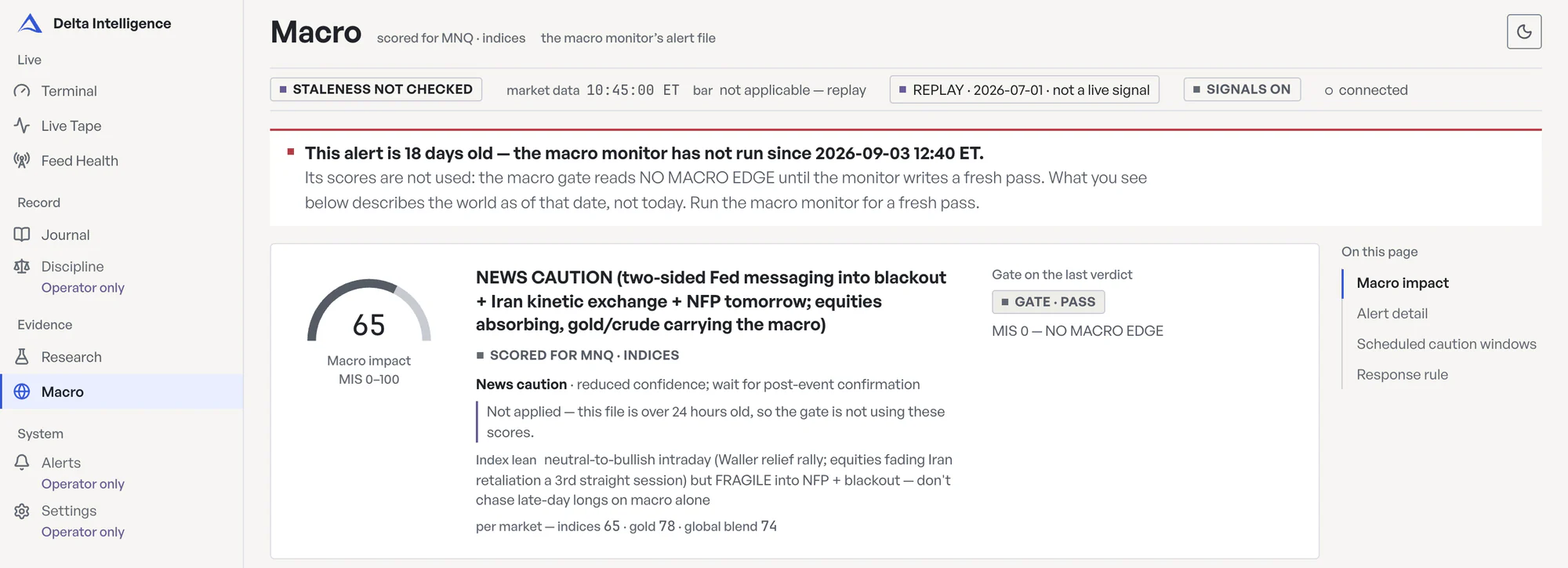
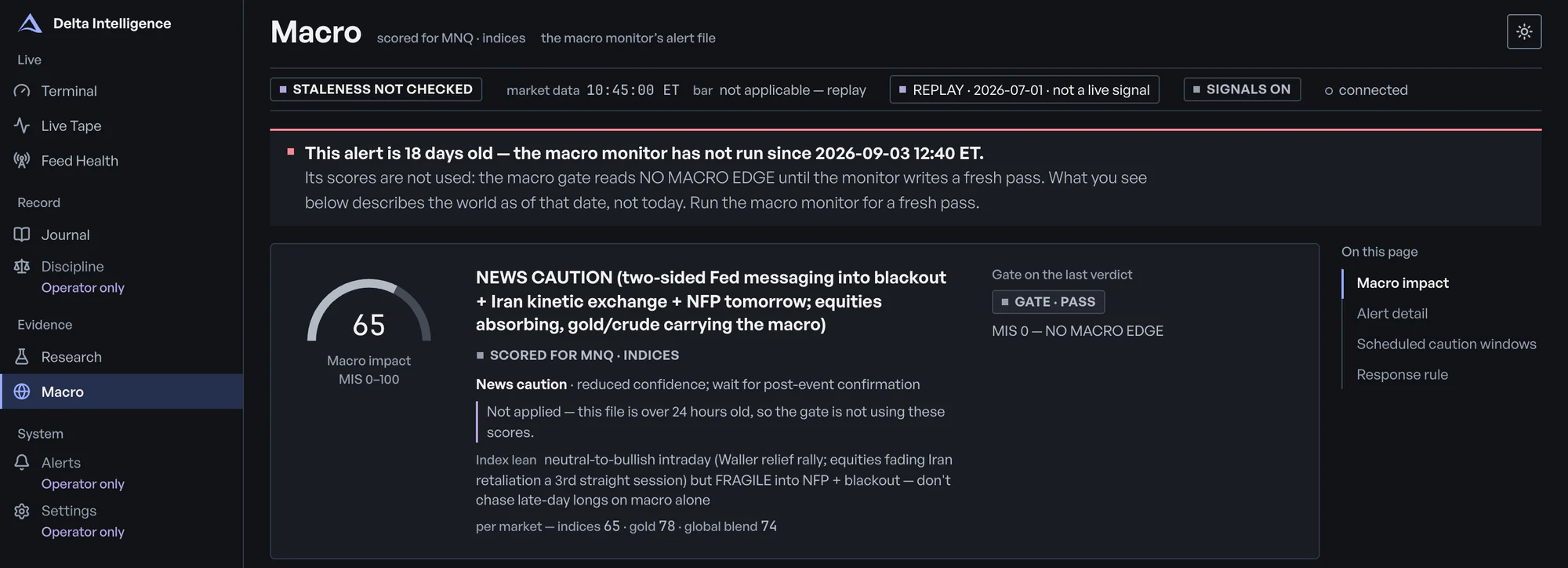
Delta reads one file written by a separate macro monitor: an alert label, an impact score from 0 to 100 (one for index futures and one for gold when the file gives both) and any open caution window. A score above 80, or an open caution window that covers your market, makes a setup STAND DOWN. A score from 60 to 80 is caution, and caution means NO TRADE. If the file is missing, unreadable or more than a day old, its scores are not used: the gate passes and says why. A caution window it explicitly set still vetoes until its stated end.
07Risk gate
The stop goes beyond the swept extreme, at least a quarter of the stop's distance past the swept level. It can be no tighter than a noise floor set from recent bar ranges and no wider than a fixed cap in points. The targets are the nearest named levels in the trade's direction, and the second must sit at least twice the stop distance from the entry. A bar that opens at 15:30 ET or later cannot pass.
The verdict
08One verdict
GO LONG or GO SHORT comes only when all four checks are met and all three gates pass, with the entry, the stop and the target levels attached. Otherwise: STAND DOWN when SMT or the macro gate vetoes a setup; NO TRADE when a setup fails the risk gate, misses a check or meets macro caution; SCANNING while no setup has formed. When the market is shut, the dashboard says MARKET CLOSED. Each verdict carries the engine's own reason.
Why most sessions end with no trade
Every rule has to hold on the same bar. A sweep with no reclaim, a reclaim with no SMT, a setup that forms at 15:45, a stop wider than the cap: each ends without a trade, and Delta shows you which rule stopped it. Most sessions end that way. Standing aside is still a verdict.
Delta does not place orders. You decide on your own chart whether to take a GO and whether its entry is still reachable.
Top-down
Top-down, read the same way every time.
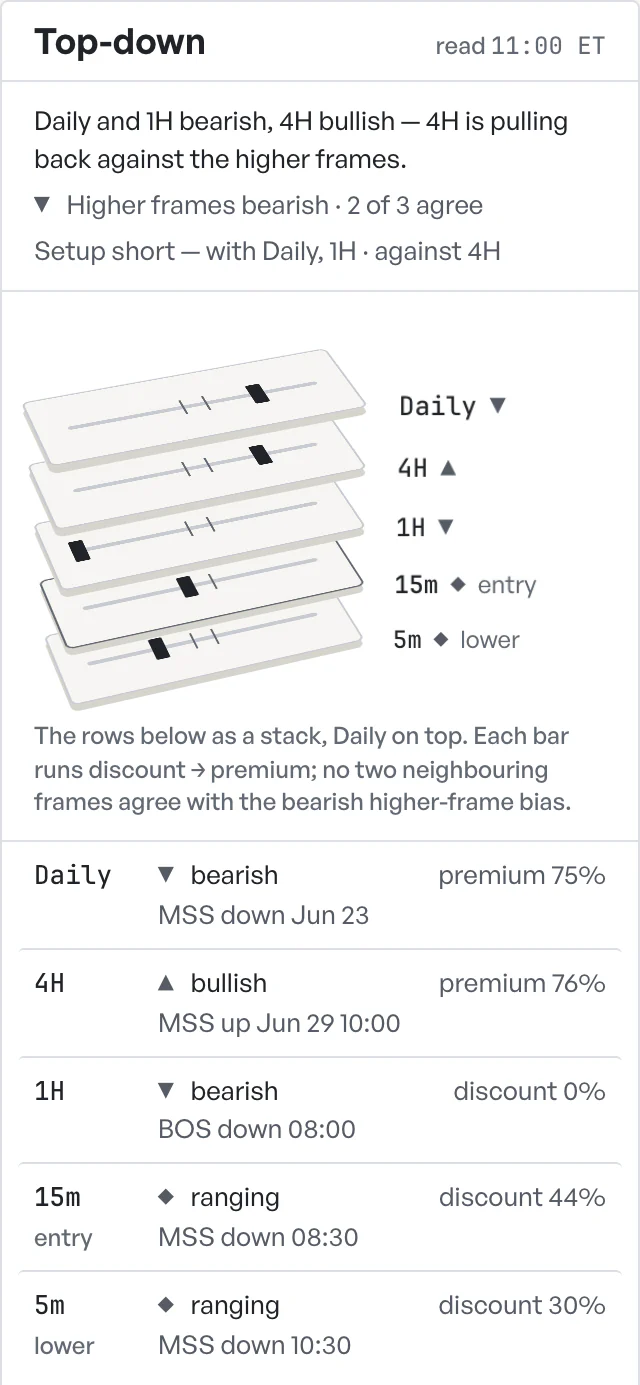
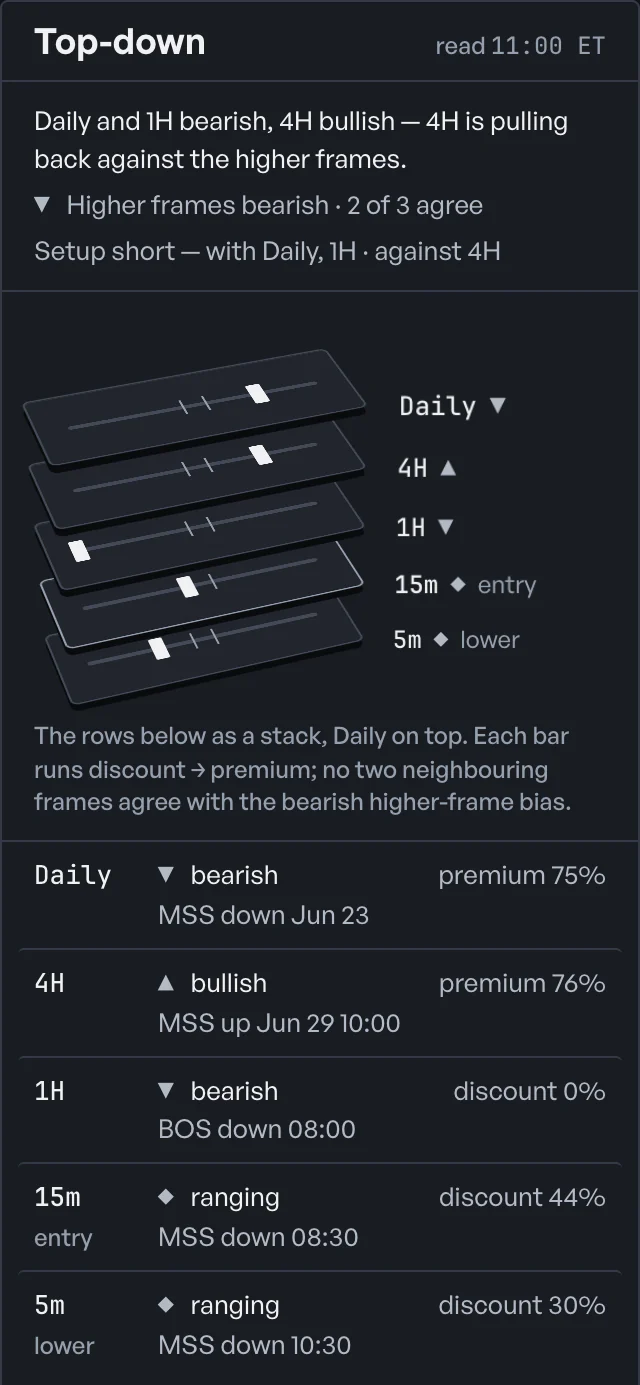
You check Daily, 4H and 1H before you take a setup. Delta reads them by fixed rules as bars close and shows the read beside the verdict. It's there as context and doesn't get a vote.
- Frames
- Daily, 4H and 1H, whichever sit above the analysis frame, then the analysis frame itself, then 5m below it when the analysis frame is longer than 5m. The operator picks the analysis frame: 1m, 5m, 15m or 1h. On the default 15m, that's all five.
- On each frame
- The trend (bullish, bearish or ranging) from the last two swing highs and lows. The last break of structure (a BOS, or an MSS when it breaks against the trend) and when it happened. Whether the last close sits in premium, discount or equilibrium of the range between the latest swing high and swing low.
- Higher-frame bias
- When more than half of the higher frames with a readable trend are bullish, or more than half are bearish, that is the bias, shown with how many agree. Otherwise it reads mixed. When there's a setup, the read names the frames it runs with and the ones it runs against.
- As bars close
- Only closed bars count. The read updates when the analysis frame closes a bar, and each other frame refreshes after its own bar closes: 5m every five minutes, 1H hourly, 4H every four hours, Daily once a session. A frame that falls behind is marked stale.
- Context only
- It never changes the verdict, the gates or the tier. Whether trading with the higher frames helps was put to a pre-registered backtest. It didn't clear the bar set in advance, so the read stays context.
Invited testers see the same trends, breaks, zones and times. The price levels behind them stay with the operator's licence.
Funded-account rules
Built around funded-account rules
Delta does not place orders. It doesn't read your balance or your firm's rules. Four of these are written into its rulebook and run as each bar closes. The fifth is yours: a log that grades how you traded.
15:30 ET
A 15:30 ET cutoff
No bar that opens at 15:30 ET or later can produce a GO for the rest of the trading day, and the time is fixed in the code, not a setting.
risk gate
150 pts
A stop cap per instrument
Every instrument has a stop cap on file, and a setup whose stop runs wider gets no GO; on MNQ, the contract the cap was set for, that's 150 points, and the other three contracts use that same figure.
risk gate
MIS · windows
Macro caution windows
Delta reads a file written by a separate macro monitor the operator runs: an open caution window on your market, or an impact score above 80 for your market, stands a setup down, and from 60 up nothing gets a GO. A file more than a day old stops counting, except a caution window it explicitly set.
macro gate
1 setup
One verdict per setup
Delta knows a setup by its direction and entry, so a GO that holds across several bars is recorded once, even while its stop is refined; a new direction or entry is a new setup.
verdict engine
Your process
Discipline grades process, not P/L
You check in before the session and debrief after it, and the grade comes from your own answers on things like size, stops, revenge trades and stand-downs; your P/L counts only if the day's loss runs more than 15% past the daily loss limit you set.
Discipline
During the beta, Discipline opens on the operator account only.
The desk
Everything on the desk.
Seven screens, and two more where the operator sets alerts and controls. Where a tester sees less than the operator, the line says so.
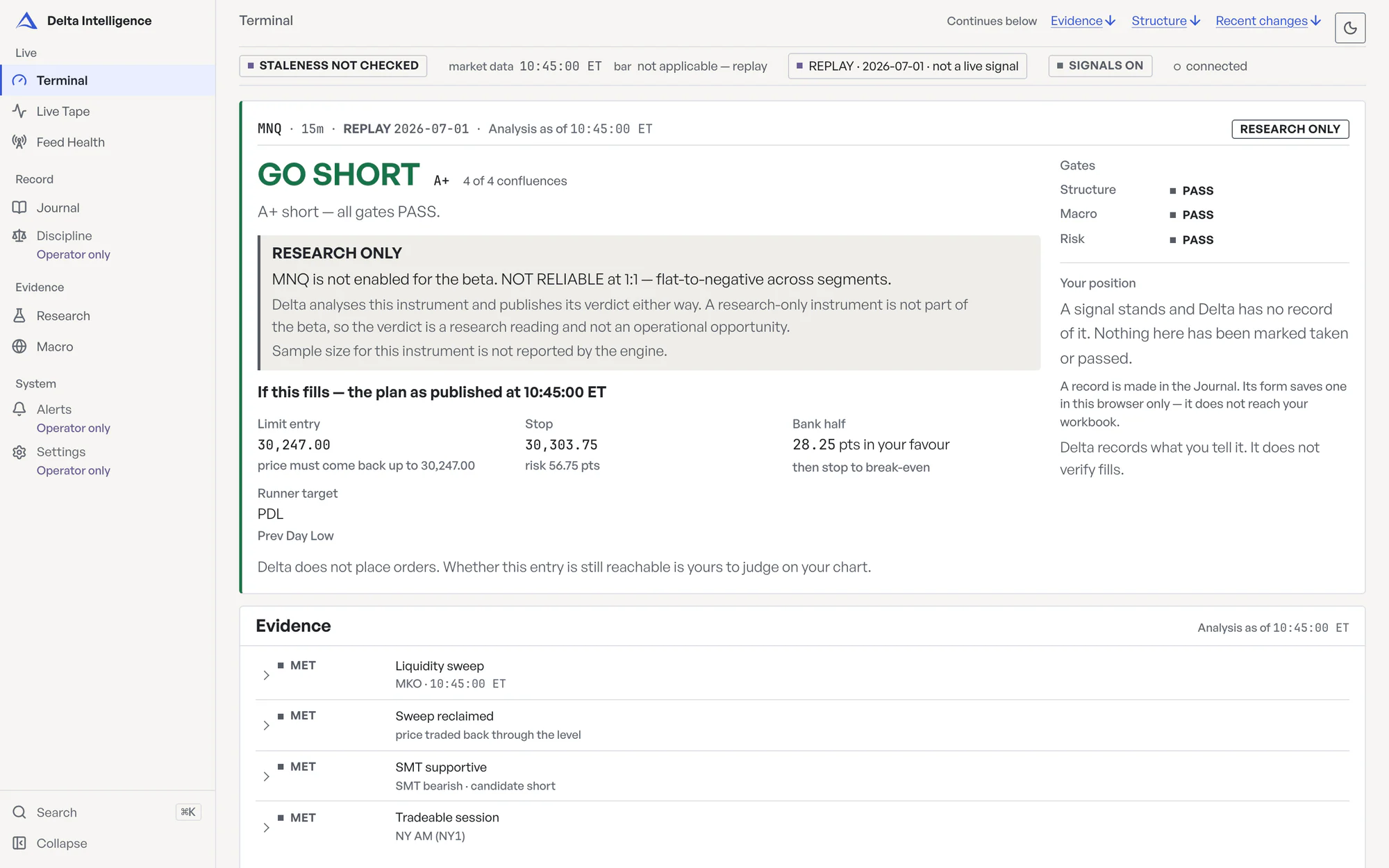
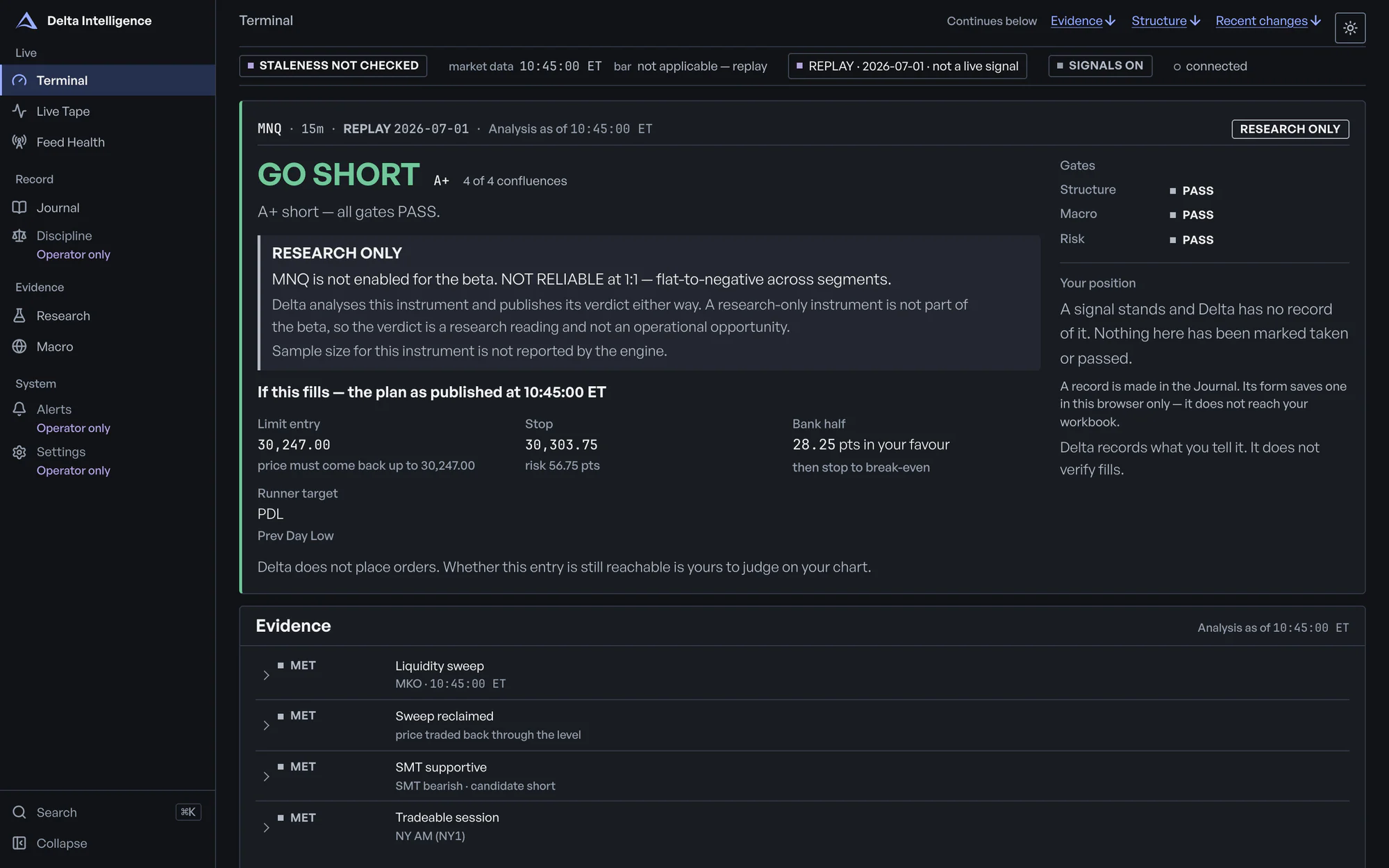
Terminal. The verdict with its evidence: four checks, three gates, and on a GO, the plan if it fills.
Operator: the chart. Tester: each level by name — swept or not, reclaimed or not, price above or below.
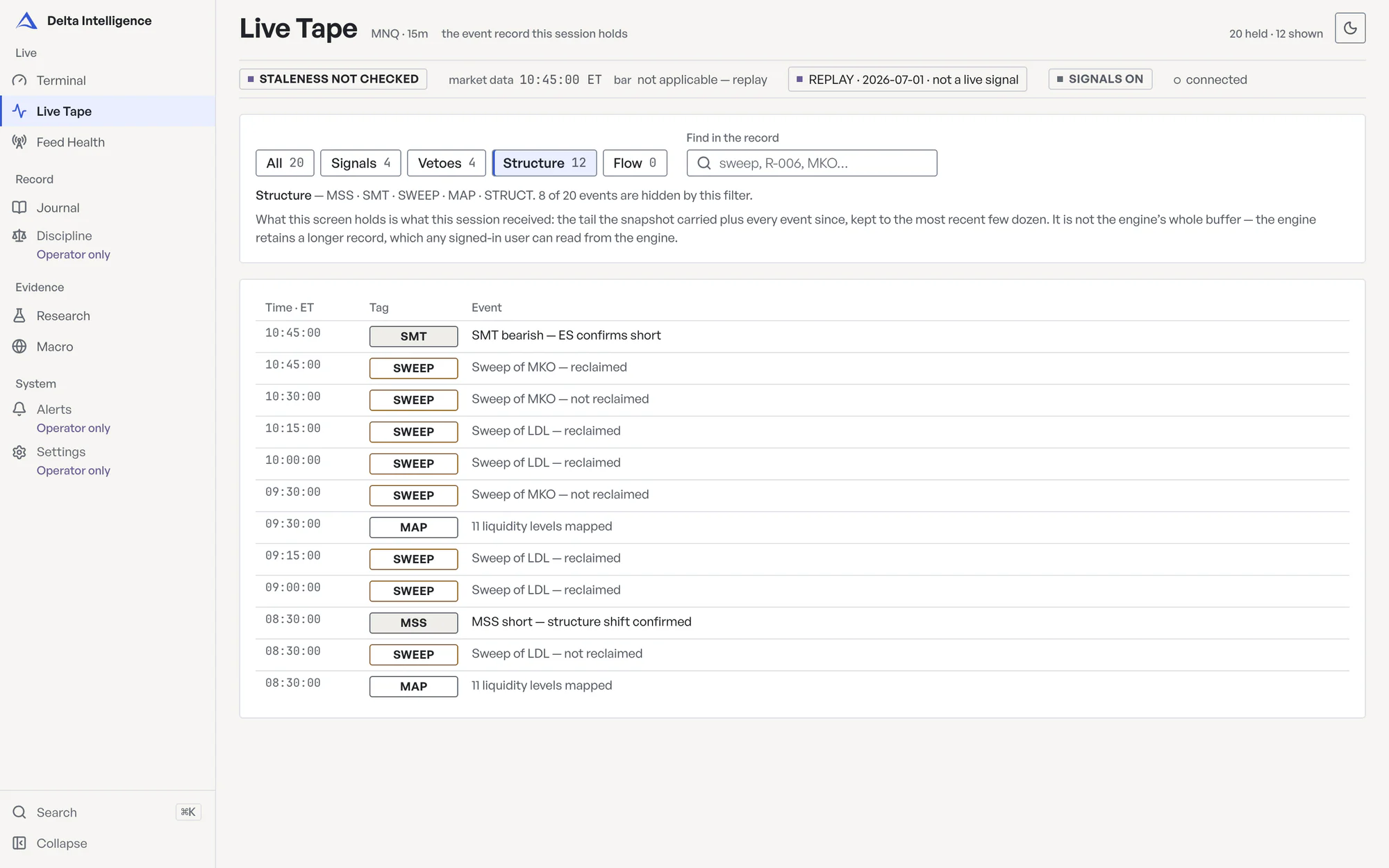
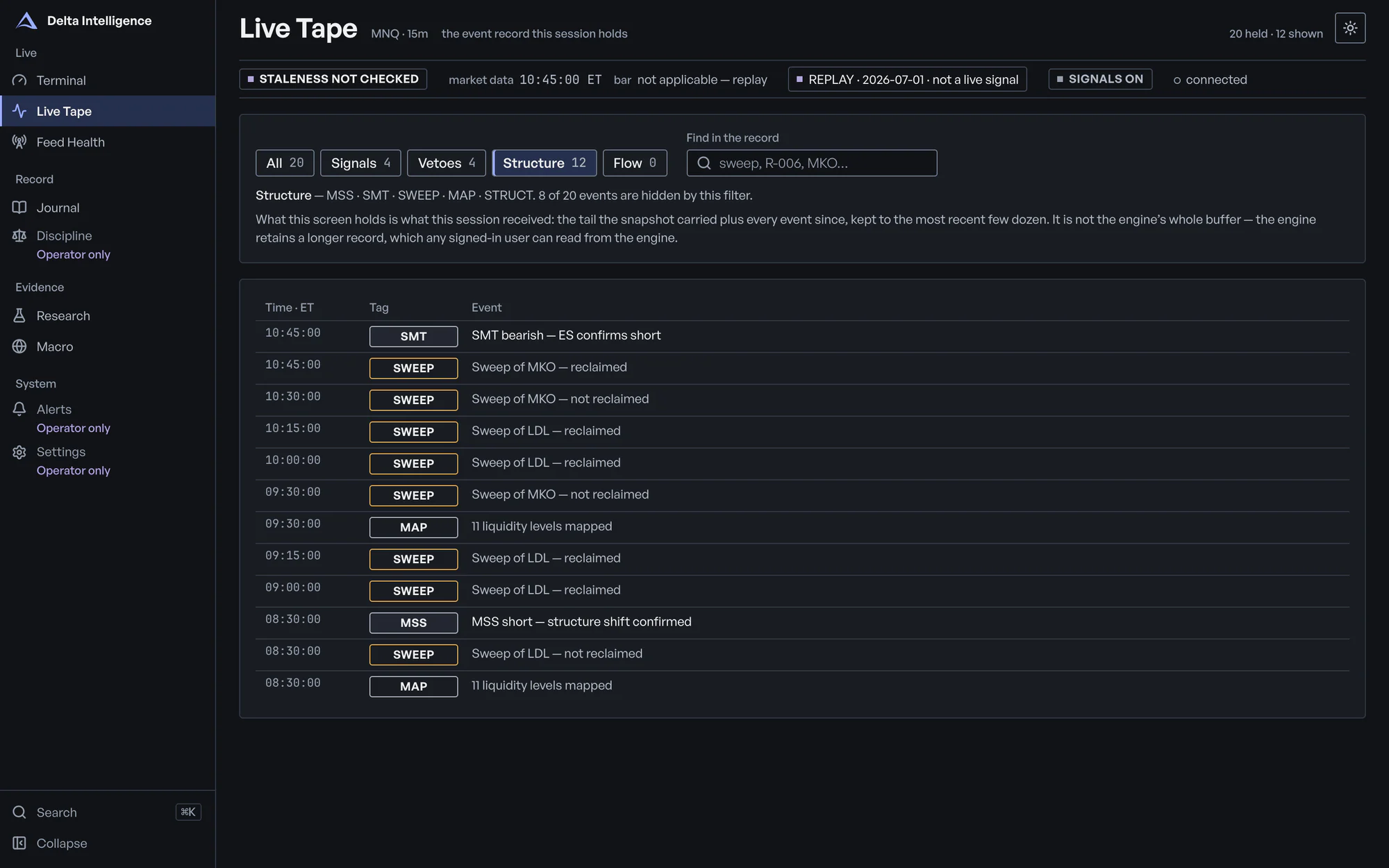
Live Tape. Sweeps, SMT, structure shifts, vetoes, cutoffs and GOs as the engine logged them. Filter by kind, or search.
Holds the latest few dozen events; the engine keeps a longer record. Testers see level names where the operator sees prices.
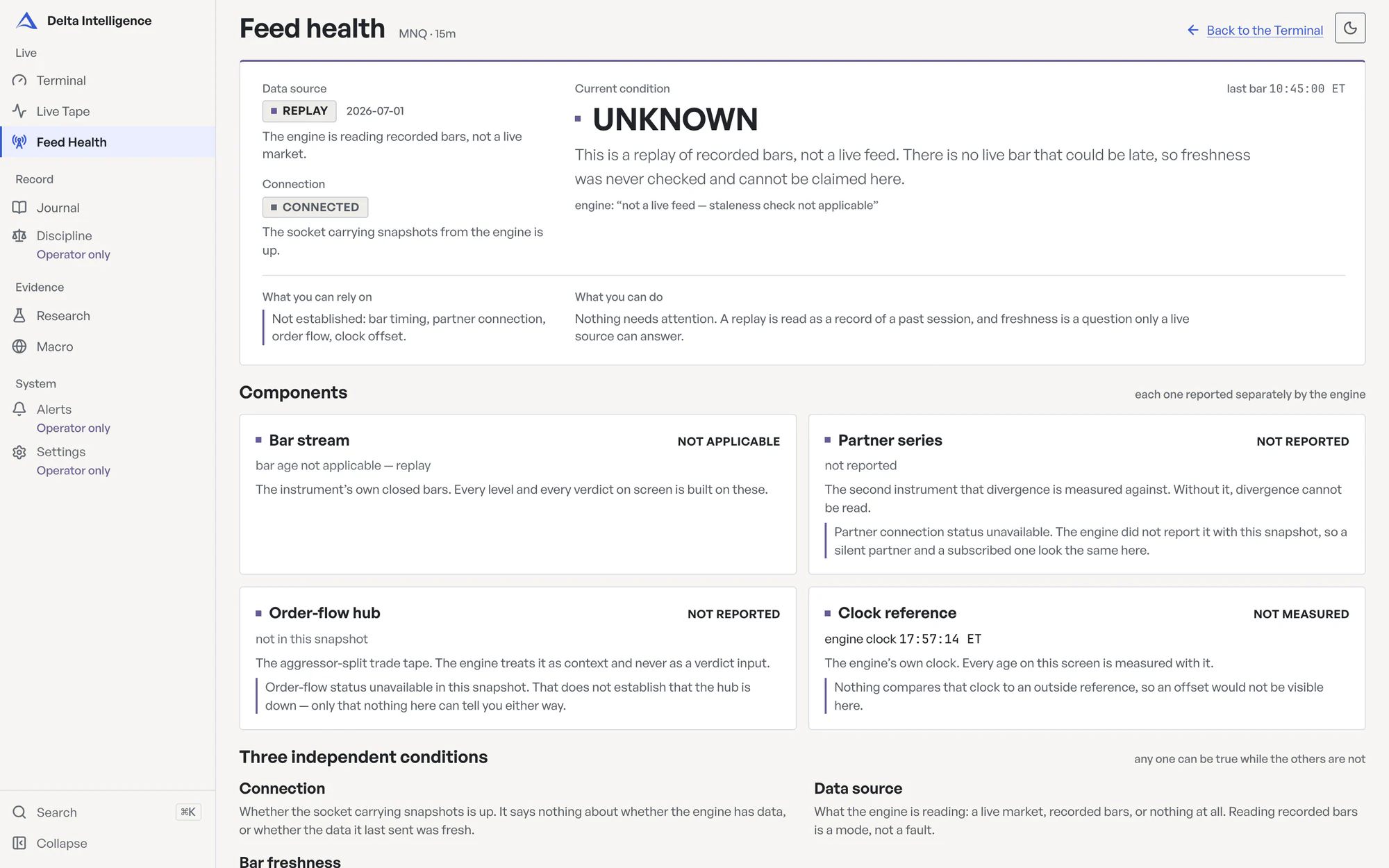
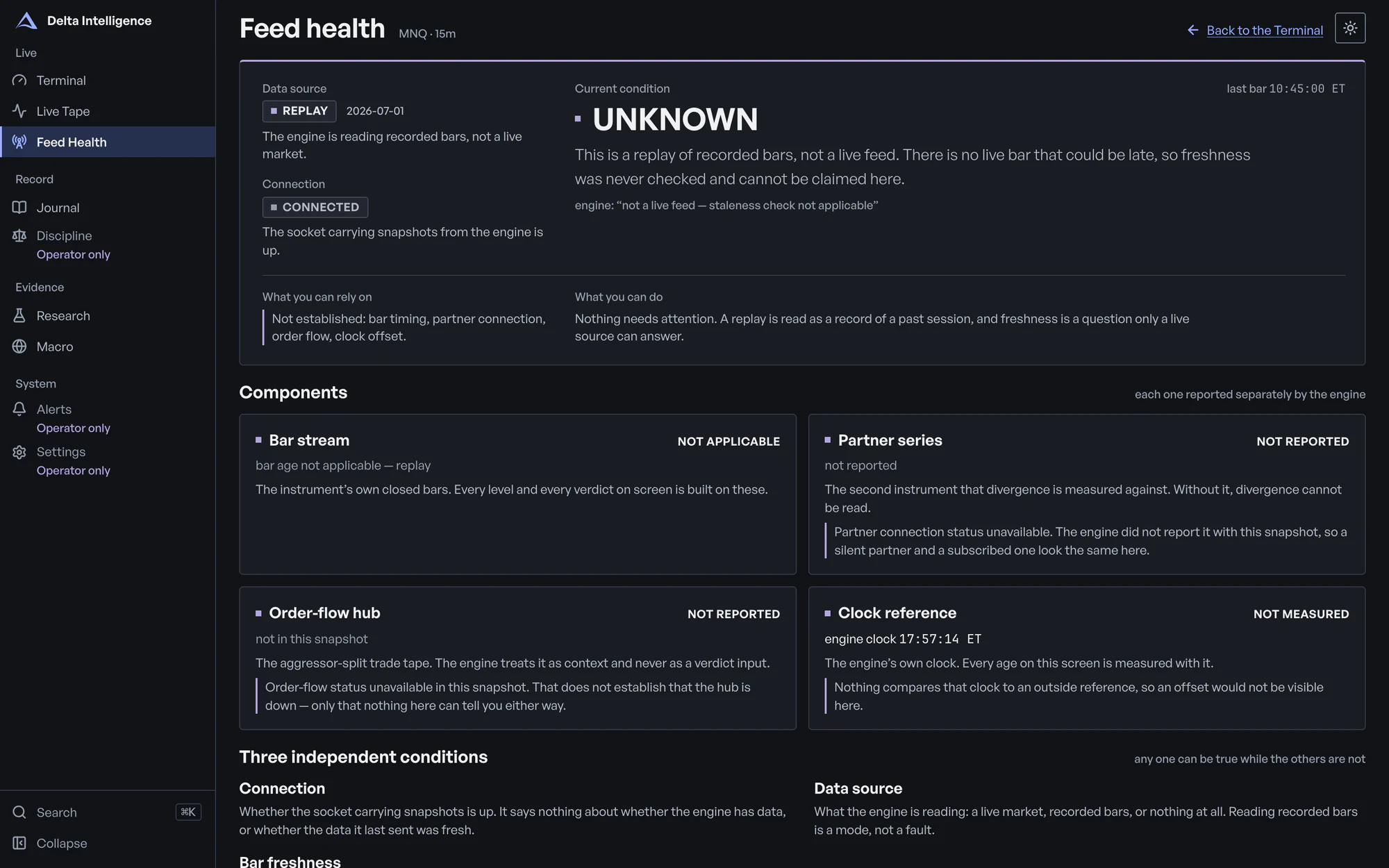
Feed Health. Live or replay, connection, bar freshness, SMT partner feed — each reported separately, with what you can rely on.
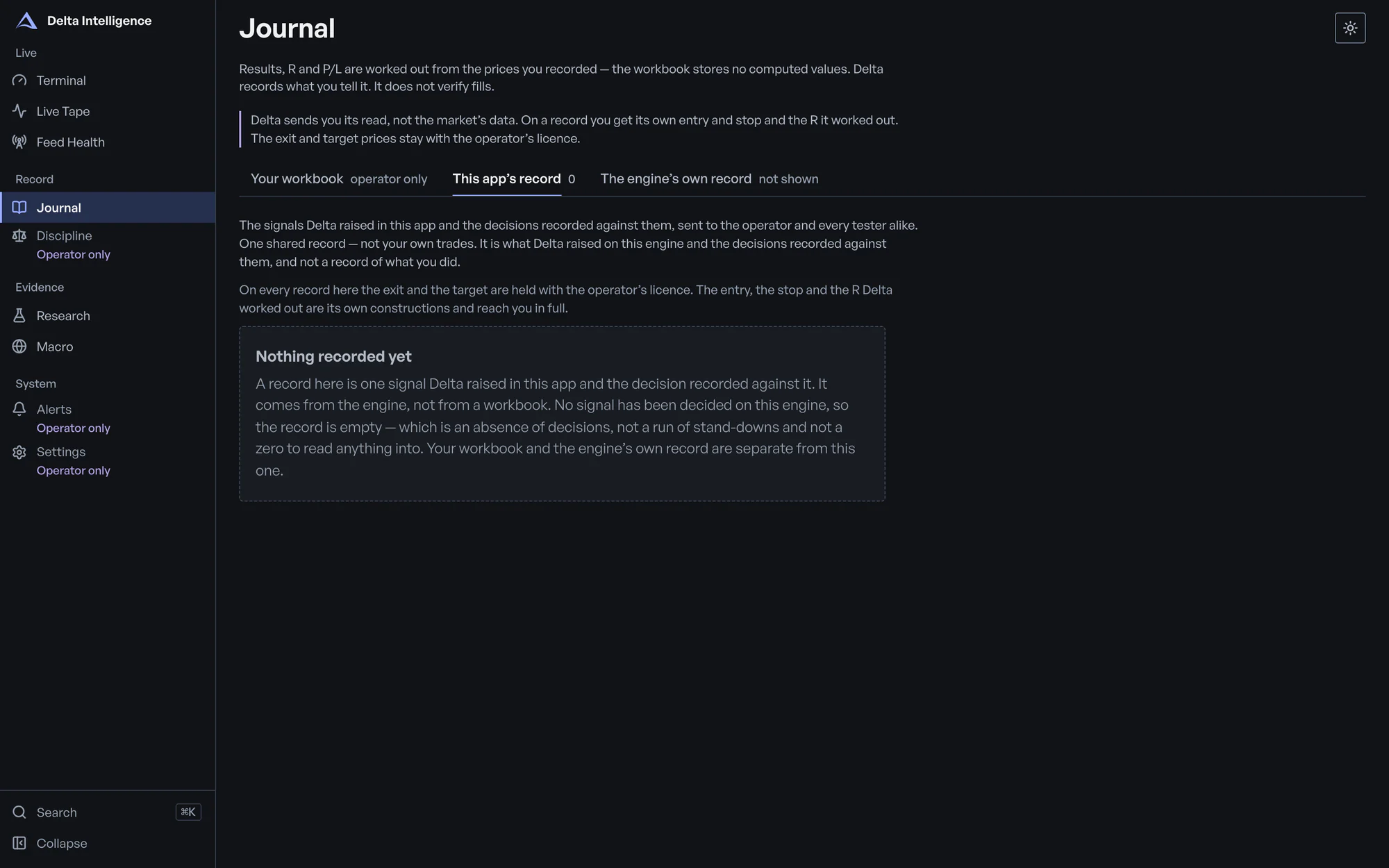
Journal. What Delta raised and whether the operator took or passed each, kept apart from the operator's workbook.
One shared record for the desk, not a tester's own trades. The workbook opens for the operator only. Delta does not verify fills.
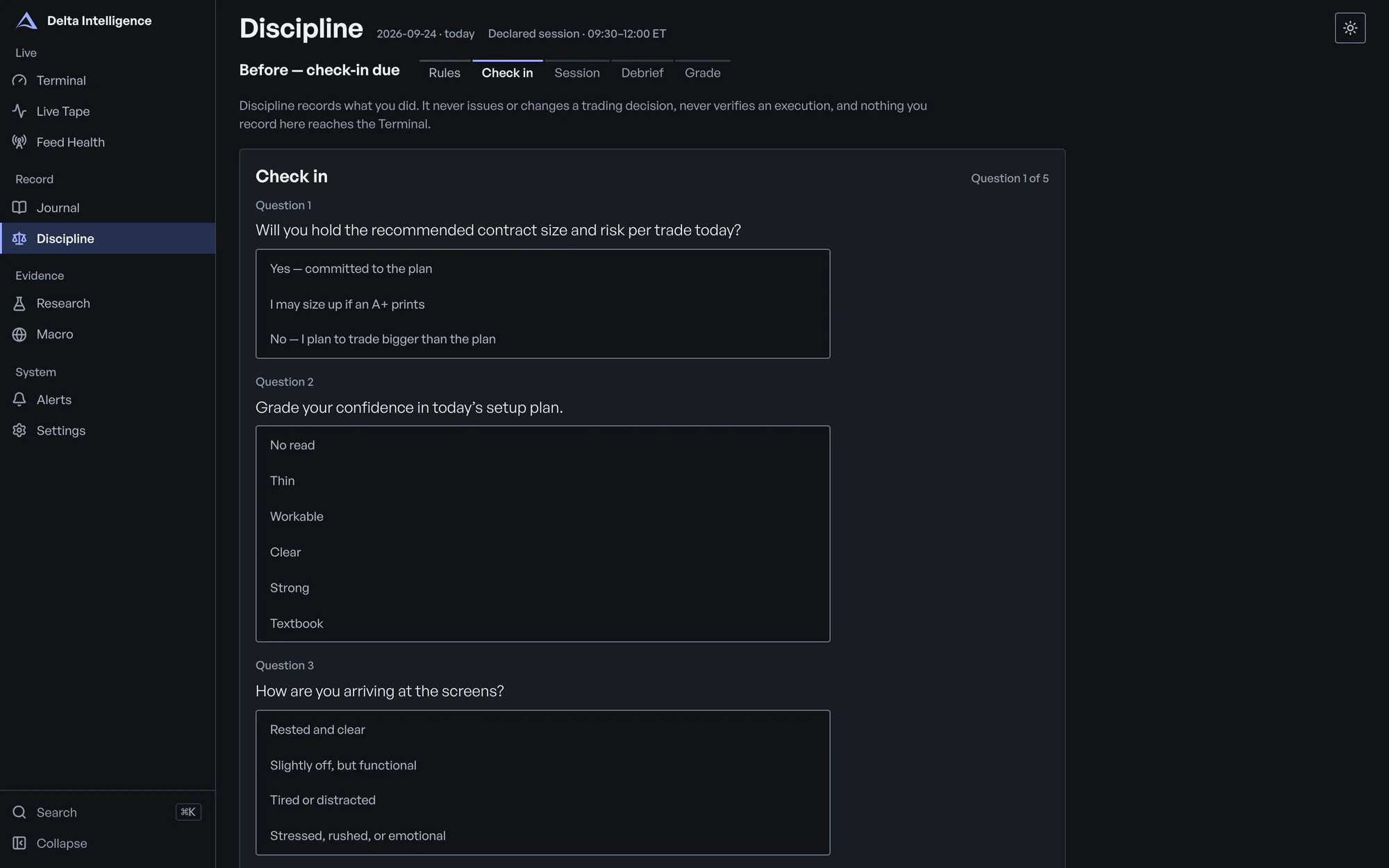
Discipline. Check in before the session, keep your rules on screen, debrief after. Days are graded on process.
Operator only. Kept in this browser, and it never touches a verdict.
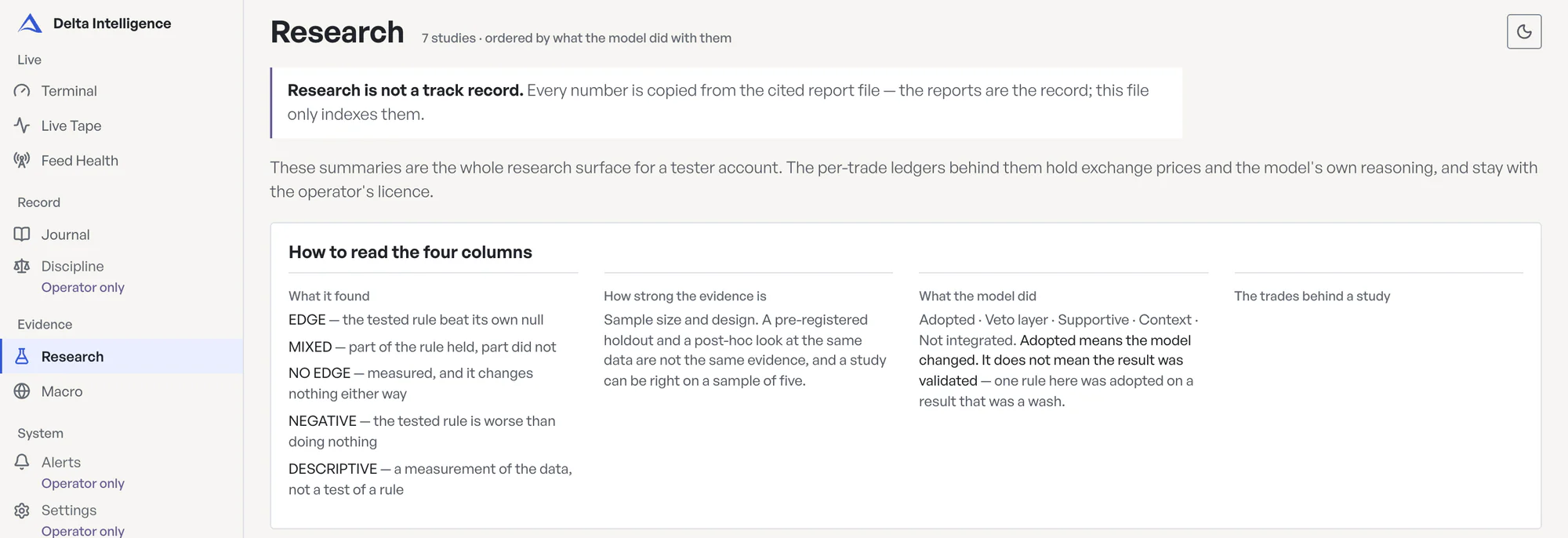
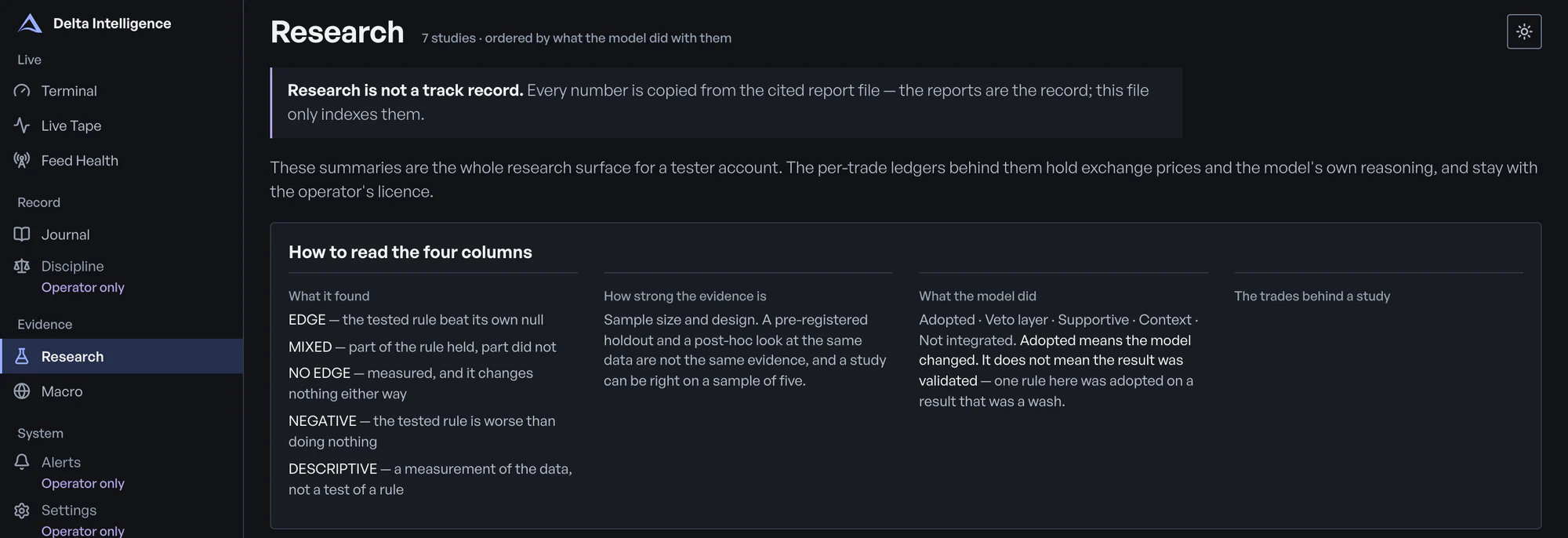
Research. Seven studies, including a negative one: what each found, how strong the evidence is, and what limits it.
Research is not a track record. Per-trade rows open for the operator only.
Macro. The macro file's impact score, caution windows and gate — flagged when the file is over a day old.
Operator and testers.
Terminal
The verdict with its evidence: four checks, three gates, and on a GO, the plan if it fills.
Operator: the chart. Tester: each level by name — swept or not, reclaimed or not, price above or below.
Live Tape
Sweeps, SMT, structure shifts, vetoes, cutoffs and GOs as the engine logged them. Filter by kind, or search.
Holds the latest few dozen events; the engine keeps a longer record. Testers see level names where the operator sees prices.
Feed Health
Live or replay, connection, bar freshness, SMT partner feed — each reported separately, with what you can rely on.
Journal
What Delta raised and whether the operator took or passed each, kept apart from the operator's workbook.
One shared record for the desk, not a tester's own trades. The workbook opens for the operator only. Delta does not verify fills.
Discipline
Check in before the session, keep your rules on screen, debrief after. Days are graded on process.
Operator only. Kept in this browser, and it never touches a verdict.
Research
Seven studies, including a negative one: what each found, how strong the evidence is, and what limits it.
Research is not a track record. Per-trade rows open for the operator only.
Macro
The macro file's impact score, caution windows and gate — flagged when the file is over a day old.
Operator and testers.
Alerts · Settings. Operator only: GO alerts by browser or Discord-compatible webhook; instrument, timeframe, pausing new GOs, locking this browser.
Data path
Where the data comes from.
Closed bars, the SMT partner's bars and one macro file go into the rulebook. One verdict comes out, to you, and the line stops there.
ProjectX / TopstepX bars
Closed bars for the chosen contract, over TopstepX's REST API. The bar still forming never reaches the rulebook.
Partner contract
Read for SMT only. A GO needs the partner to confirm; divergence against the setup stands it down. MGC has no partner, so it never reaches GO.
Macro file
Written by a separate macro monitor that runs apart from the engine, not continuously. A score over 80 or a caution window for your market stands setups down; 60 to 80 blocks a GO.
The rulebook
Sweep, reclaim, SMT, session; then the structure, macro and risk gates. A GO needs all four checks and all three gates. The rules are fixed in code and do not learn from results.
You
You read it beside your own chart and place the trade yourself, or don't. Delta does not place orders.
There is no order route. The server has no endpoint that sends an order, and its TopstepX connections carry market data only.
When the feed drops
- A poll that fails passes nothing on. Delta never invents a bar or fills a gap it did not receive.
- The next poll asks again. Each request covers enough recent history to span a short outage, so the closed bars it missed arrive in order, each one once.
- If the newest bar is too old for an open market, the response is held back and the rulebook never sees it. Feed Health judges bar age against the exchange clock and marks the feed lagging or stale.
- When ProjectX rate-limits the account, the bar polls pause: 5 seconds, then 10, doubling to a 2-minute cap, or longer if the server asks. A clean poll resets the wait.
- When its connection drops, the trade tape, context only, reconnects after 1, 2, 5 and 10 seconds, then every 30 seconds, signing in afresh each time.
Context, not input
Two reads sit beside the verdict and never feed it: the top-down read, whose bias comes from the higher frames (Daily, 4H and 1H on the default 15m), and the trade tape from TopstepX's market hub, with every print's size and the side that crossed the spread. Quotes are top of book only, with no depth. Volume bursts from the tape show on the Live Tape, marked context only.
The night desk
The chart, with the lights down.
The bars the engine reads, drawn as red and green candles in colours of their own, kept apart from the green that marks a GO.

Pan and zoom
Drag to pan, scroll to zoom at the cursor. With the chart focused, the left and right arrows pan one bar, plus and minus zoom, and Home returns to live and resets the view.
Drag it taller
Pull the grip under the chart to set its height, or focus the grip and use the arrow keys. Double-click puts the default height back.
Widen
When the desk is wide enough for three columns, Widen gives the chart the full row. Narrow gives Evidence and Recent changes their columns back.
Light or dark
The moon/sun control switches the desk between dark and light and remembers your choice in this browser. Dark is the default.
Candles update live only on the engine's own timeframe. The operator can ask the engine for another timeframe's closed bars, one request per switch, and that view doesn't update. Where there's no current engine read to ask, the timeframe row is a readout marked display only.
The chart is the operator's view. Invited testers get no candles and no level prices. In its place they get a level ladder: each level, which side of it price is on, whether it was swept, from which side and when, and whether it was reclaimed.
A chart to read, with no order ticket on it. Delta does not place orders.
Research
Research is not a track record.
Seven studies are indexed on the dashboard's Research screen, and the negative and null findings are listed with the rest. Every number in the research index is copied from the cited report, and each study card on that screen shows its sample size and what limits it. This page lists each study's name, what it found and how it was designed. The figures stay on the dashboard, next to their samples.
Turn it with the buttons or the arrow keys; every study is listed in full below.
EDGE — the tested rule beat its own null · MIXED — part of the rule held, part did not · NO EDGE — measured, and it changes nothing either way · NEGATIVE — the tested rule is worse than doing nothing · DESCRIPTIVE — a measurement of the data, not a test of a rule
Strategy-Input Backtest — 6 inputs, 1 year
EDGE
Pre-registered · only one of the six inputs held, and on a small holdout
Enhanced Order Block (EOB) — pre-registered study
MIXED
Pre-registration on file
EOB 50-point floor — wide-stop counterfactual
NO EDGE
Protocol frozen before the re-walk, but the rule was chosen after seeing the losses · adopted by operator decision, not validated
Infinity Loop — self-refining search, 15m/5m/1m
NO EDGE
Pre-registration on file
Delta Model — 30-day no-lookahead walk
EDGE
Rulebook written before the walk; in-sample, and a small sample — directional support, not proof
Composed A+ System — 13-month grade study
NEGATIVE
No pre-registration
6-Month Multi-Instrument Baseline
DESCRIPTIVE
No pre-registration
The dashboard marks its study figures as simulated research fills that assume the limit filled. None of those figures are repeated here.
No live track record yet. Forward test open — 1 of 100 trades resolved for the pre-registered MES 1-minute configuration.
Access
Request access
At launch, Delta runs for one operator and a small group of invited testers. Each tester signs in with a personal access code, not an account, and receives Delta's read: the verdict, the levels by name, the structure it found, and — on a GO — its own entry and stop. Exchange prices — candles, level prices, the target price — stay with the operator's licence, so keep your own chart open beside it.
Have an access code? Enter it on the app's own sign-in screen, never on this site. How a code is used
FAQ
Questions.
Does Delta place trades?
No. Delta does not place orders. It has no order route: it reads market data and publishes a verdict, and you place every trade you take yourself.
Does it run by itself?
The read does. Delta reads every closed bar on its own and updates its verdict when the read changes. The decision and the order stay with you: Delta has no order route.
Which markets?
Four futures contracts: MES, MNQ, ES and MGC, on 1-minute, 5-minute, 15-minute or 1-hour bars. The operator picks the instrument and timeframe for the desk. MES is the default instrument and the only one enabled for the beta; on MNQ, ES or MGC the terminal marks the verdict research only.
What does a tester see?
Delta's read, not the market's data. That means the verdict and its gates, the levels by name, the structure it found, and the verdict's own entry and stop, with the target named by its level. Candles, level prices, the target price and the planned R:R stay with the operator's licence, so keep your own chart open beside it.
Is there a track record?
No live track record yet. Forward test open — 1 of 100 trades resolved for the pre-registered MES 1-minute configuration. The studies above are research, not a track record.
What does it cost during the beta?
Nothing is charged. Access is by invitation during the beta, and there is no plan, no price and no card. Request access with your email to be considered.